# 네이버 검색광고 API 발급받기

## 네이버 검색광고 API 발급받기

네이버 검색광고 조회하기 액션을 사용하기 위해 API 발급받는 방법을 알려드릴게요.

> 🔎Click! 이미지를 클릭하면 예시 화면을 크게 볼 수 있습니다.&#x20;

1. **네이버 검색광고** 페이지에 접속하여 검색광고를 운영하는 계정으로 로그인합니다.\
   <https://searchad.naver.com/my-screen>
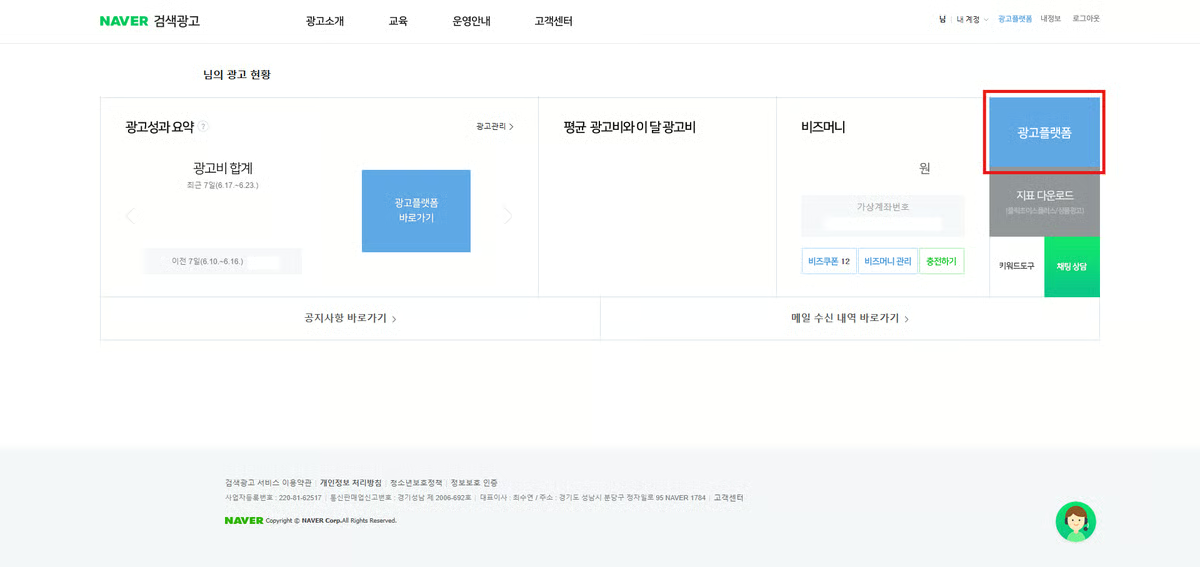
2. 페이지 우측의 **광고플랫폼** 버튼을 클릭합니다.

<figure><img src="/files/cH43MNJhyvAbfX8Jjlb5" alt=""><figcaption></figcaption></figure>

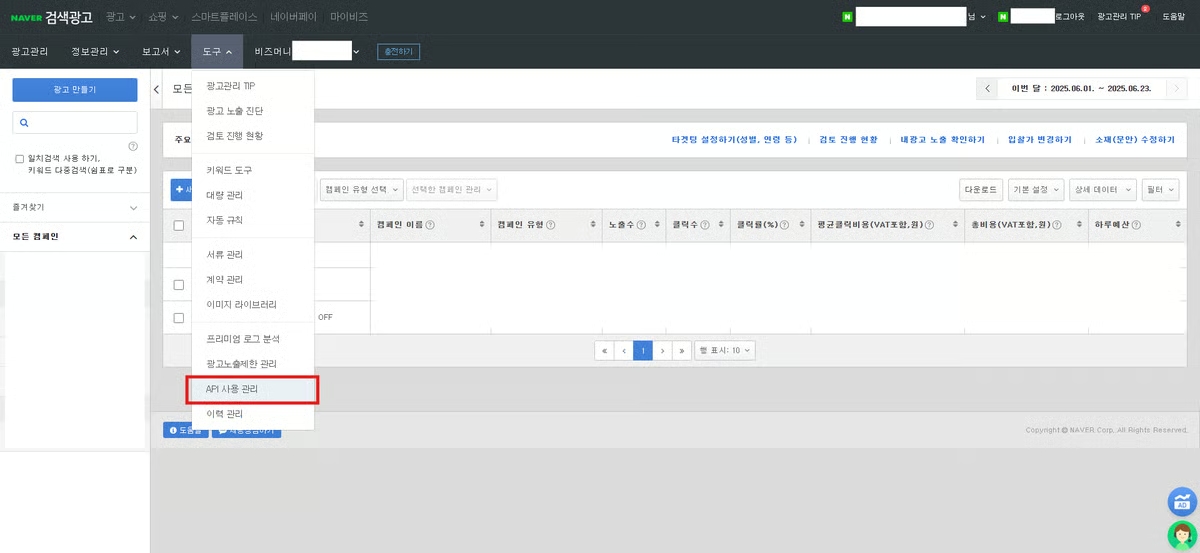
3. 상단 **도구** 메뉴에서 **API 사용 관리**를 클릭합니다.

<figure><img src="/files/VKQRrhpONngD8AUO91Nd" alt=""><figcaption></figcaption></figure>

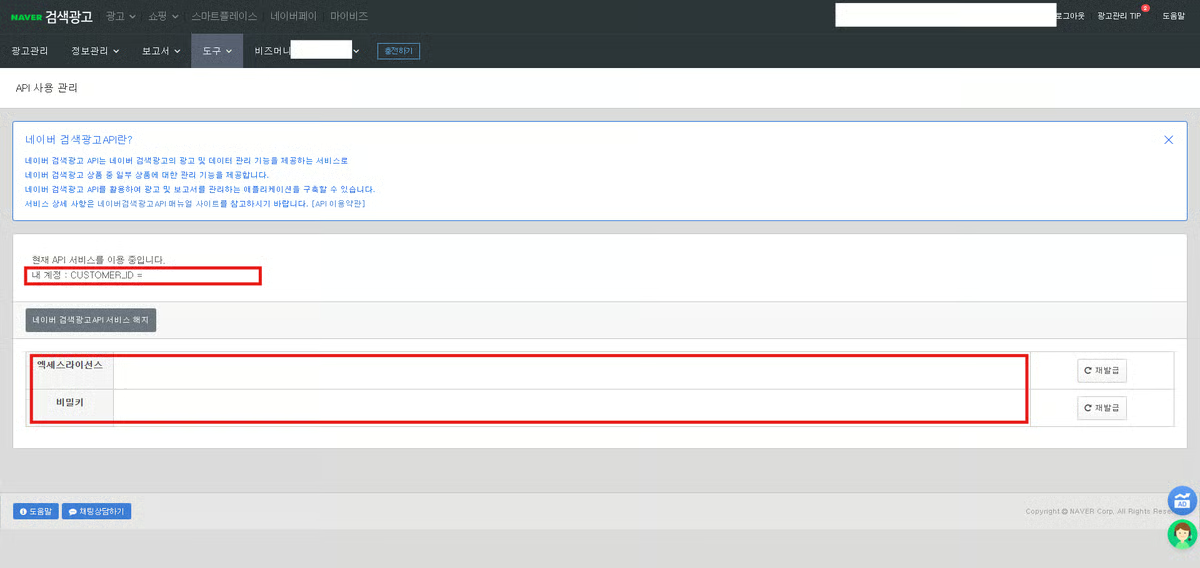
4. 페이지에 접속해서 **CUSTOMER\_ID, 액세스라이선스, 비밀키**를 확인해주세요.

<figure><img src="/files/6YhVB2DYYvRkpdraUVDv" alt=""><figcaption></figcaption></figure>

***

## 네이버 검색광고 API 계정 연결하기

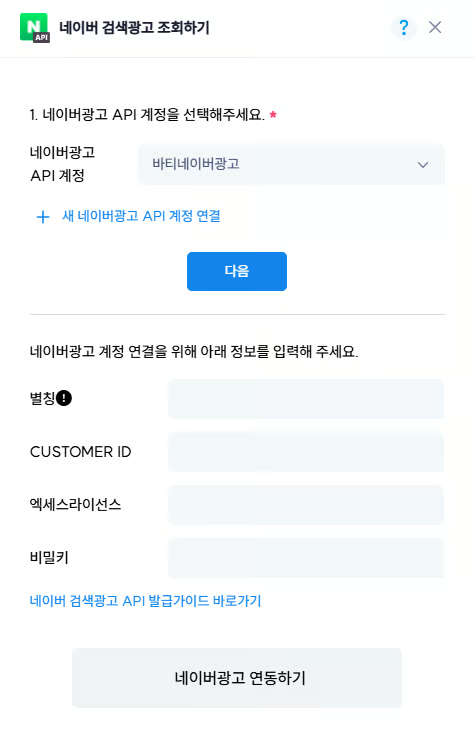
네이버 검색광고 페이지에서 확인한 CUSTOMER\_ID, 액세스라이선스, 비밀키를 바티에서 입력해주세요.

<figure><img src="/files/VVbKV08I3XCboBPdRX5P" alt=""><figcaption></figcaption></figure>

* 별칭 : 계정을 구분할 수 있는 별칭을 자유롭게 입력해 주세요.
* CUSTOMER ID : 4단계의CUSTOMER\_ID를 입력해 주세요.
* Client ID : 4단계의 액세스라이선스를 입력해 주세요.
* Client Secret : 4단계의 비밀키를 입력해 주세요.


---

# Agent Instructions: Querying This Documentation

If you need additional information that is not directly available in this page, you can query the documentation dynamically by asking a question.

Perform an HTTP GET request on the current page URL with the `ask` query parameter:

```
GET https://guide.bati.ai/service/api/naver_ads.md?ask=<question>
```

The question should be specific, self-contained, and written in natural language.
The response will contain a direct answer to the question and relevant excerpts and sources from the documentation.

Use this mechanism when the answer is not explicitly present in the current page, you need clarification or additional context, or you want to retrieve related documentation sections.